
Buying a Printer After Missing Goblin Storm Is Extremely Understandable
One player missed the Goblin Storm drop, bought an Epson EcoTank ET-2803, and immediately hit the real first proxy problem: the prints look good, but the card feel needs work.
There is a very specific kind of Magic frustration where you do everything “right,” save the money, wake up early, open the page on time, and still get treated like an afterthought.
That is the part of this post that hit. The whole thing starts with the Secret Lair Commander Deck: Goblin Storm drop going sideways for someone who clearly wanted the product, cared about the game, and was willing to pay. Then, instead of just staying mad, they went out and bought an Epson EcoTank ET-2803 and started making proxies.
Honestly, good.
Not because everyone should rage-buy a printer after missing a drop. But because this is exactly the point where a lot of players realize that they do not have to let limited product nonsense decide what they get to play with at the kitchen table.
That is the healthy side of proxy making. Not counterfeits. Not selling fake cards. Not trying to scam trades. Just looking at a game you love and deciding you still want to play it, even when the official product machine makes that harder than it needs to be.
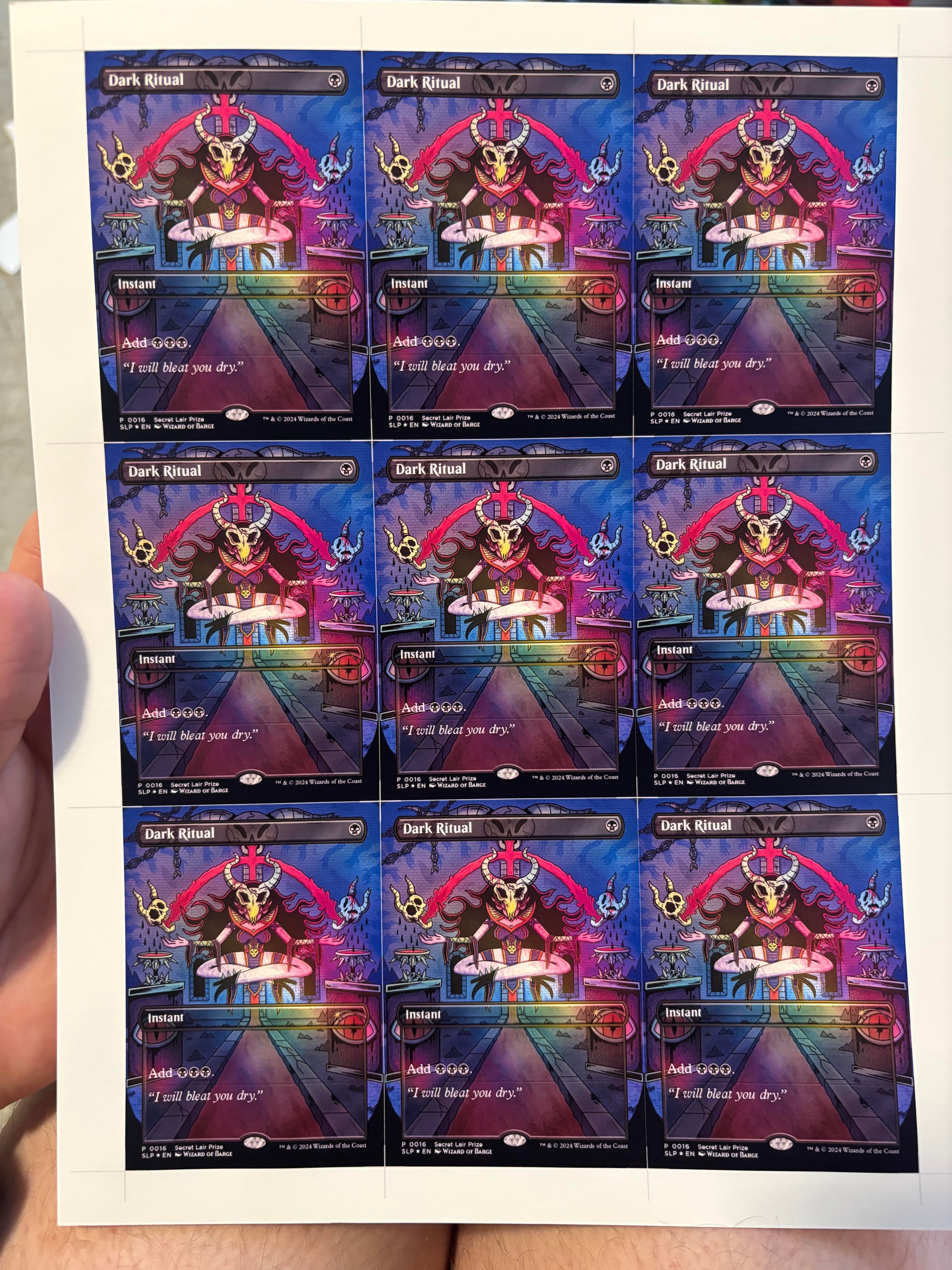
The First Print Was Already the Easy Win
The first thing worth saying is that the prints look good for a first run.
That matters. A lot of people expect the first home proxy sheet to look like a washed-out office print, but modern ink tank printers can surprise you. The Epson ET-2803 is not some high-end photo machine, but it is a sensible beginner pick because the ink cost is much less painful than a cartridge printer.
That is probably the biggest emotional win here. The person bought a printer, ran cards, and immediately saw that home proxy printing was not some impossible specialist thing. The resolution was good enough to get excited. The cards looked like cards. The project became real.
That first “wait, this actually works” moment is what keeps people testing paper for the next three weeks.
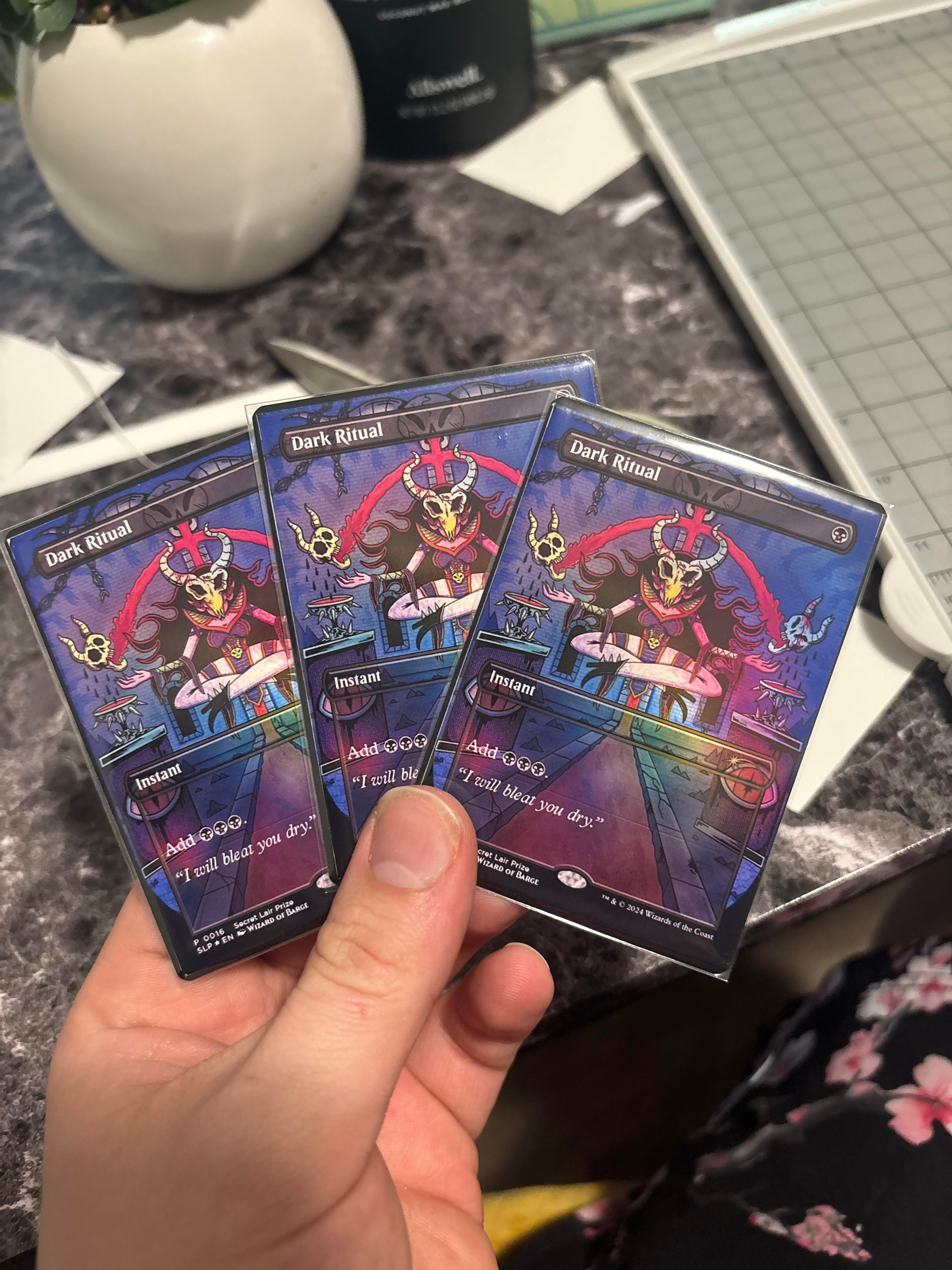
The Real Problem Was Thickness
The paper used was 110 lb matte photo stock, around 300gsm. That sounds reasonable until the card gets backed with a land.
Then it becomes bulky.
For one or two casual cards, you can get away with a lot. For a Commander deck, bulk becomes a real issue fast. A method that feels fine for five cards can turn a 100-card deck into a brick. This is one of those lessons every proxy maker learns eventually: the card face can look great and the final deck can still feel wrong.
The instinct to ask about “snap” is the right one. Magic cards are not just pictures on rectangles. They have stiffness, thickness, flex, edge feel, sleeve behavior, and a stack height that matters a lot more once you are handling a whole deck.
The 300gsm stock plus land-backing method is basically the beginner overcorrection. It feels sturdy because there is a lot of material there. But sturdy is not the same thing as correct.
Why I’m Happy They Bought the Printer
There is something very satisfying about this post because it is not polished. It is someone at the beginning of the proxy-making curve, asking the exact right questions after the first batch.
They did not just ask “how do I make fake cards?” They asked about cardstock, snap, bulk, sticker sheets, and where to buy decent materials. That is the difference between someone trying to scam and someone trying to make a playable home setup.
That is the kind of proxy-making I like. It starts from wanting to play the game, then turns into material testing, paper comparisons, laminator talk, cutter talk, and eventually a much better understanding of how cards physically work.
And yes, it is a little funny that Wizards losing someone at checkout can accidentally create a new printer owner.
The Community Advice Was Mostly Practical
The useful answers all circled the same issue: stop stacking too much material.
A few people pushed toward lighter paper plus laminate instead of heavy 300gsm stock plus another card behind it. That makes sense. A 3mil laminate is not nothing. Once laminate enters the build, the paper underneath usually needs to be much lighter than beginners expect.
One setup mentioned 200gsm double-sided glossy paper plus 3mil laminate, with no land backing. That still came out slightly thicker than ideal across a Commander deck, but with good snap and strong visuals. Another suggestion went even lighter, around 130gsm paper with 80 micron laminate, trying to keep a 100-card stack close to the height of originals.
That is the real direction I would explore before continuing with 300gsm stock. Lighter paper plus laminate often makes more sense than heavy paper plus backing.
| Method | What it solves | What can go wrong |
|---|---|---|
| 300gsm matte stock backed with a land | Easy first experiment, sturdy single card | Too bulky for Commander decks. |
| 200gsm glossy paper plus 3mil laminate | Better snap, cleaner finish, no land backing | Still may stack thicker than real cards. |
| 130 to 180gsm paper plus laminate | Better chance of matching final deck height | Needs testing to avoid flimsy feel. |
| Sticker paper over cardstock | Can control face quality and base feel separately | Alignment and surface handling get more annoying. |
| Foil sticker paper plus cardstock plus single-side laminate | Flashy result for special cards | More moving parts, more surface variables. |
This is where proxy making turns into a little lab. Not in a bad way. The first prints already look cool. Now the project becomes about tuning the stack.
What the Images Show
The images are useful because they show a successful first print, not a finished perfect method.
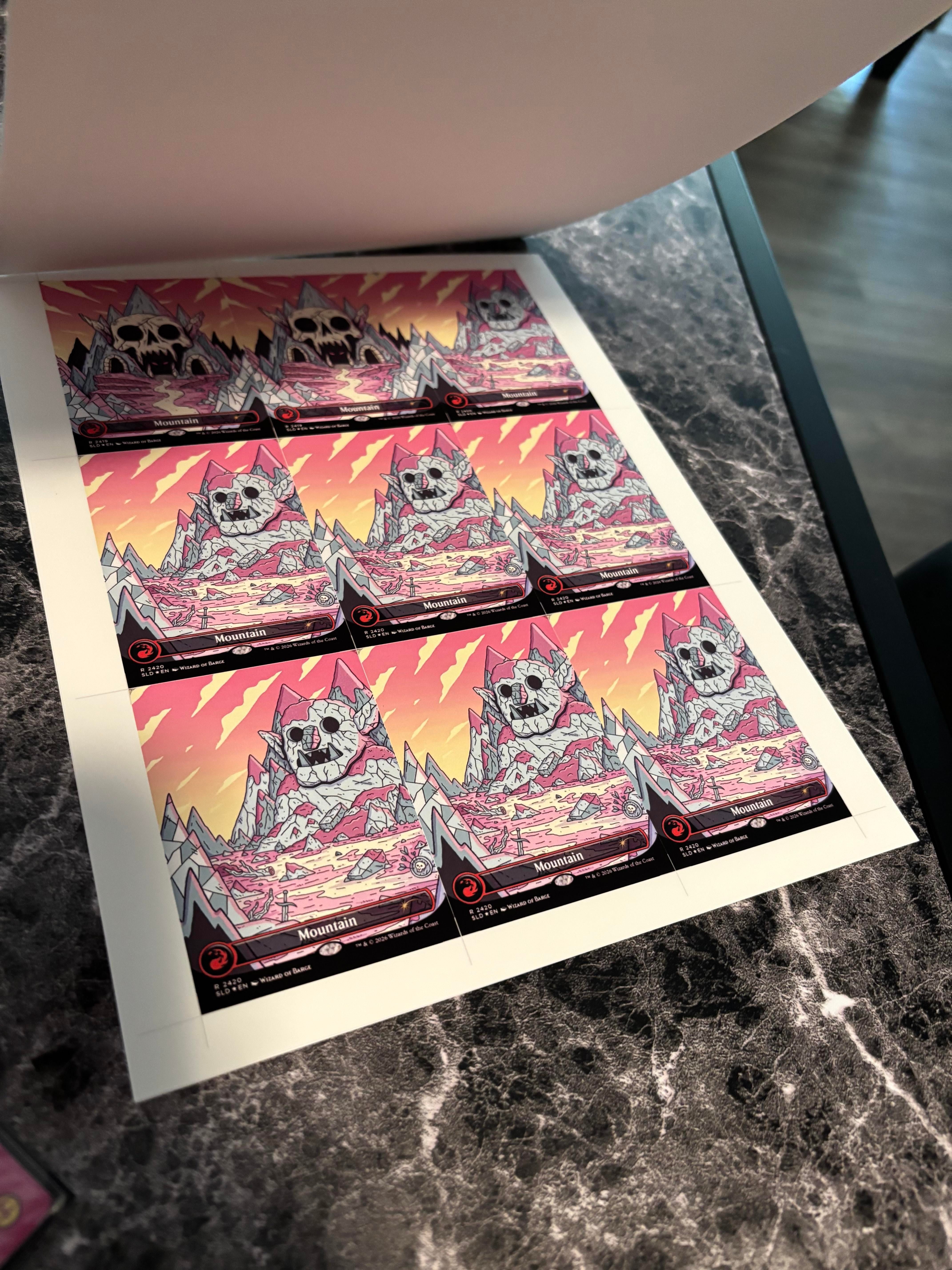
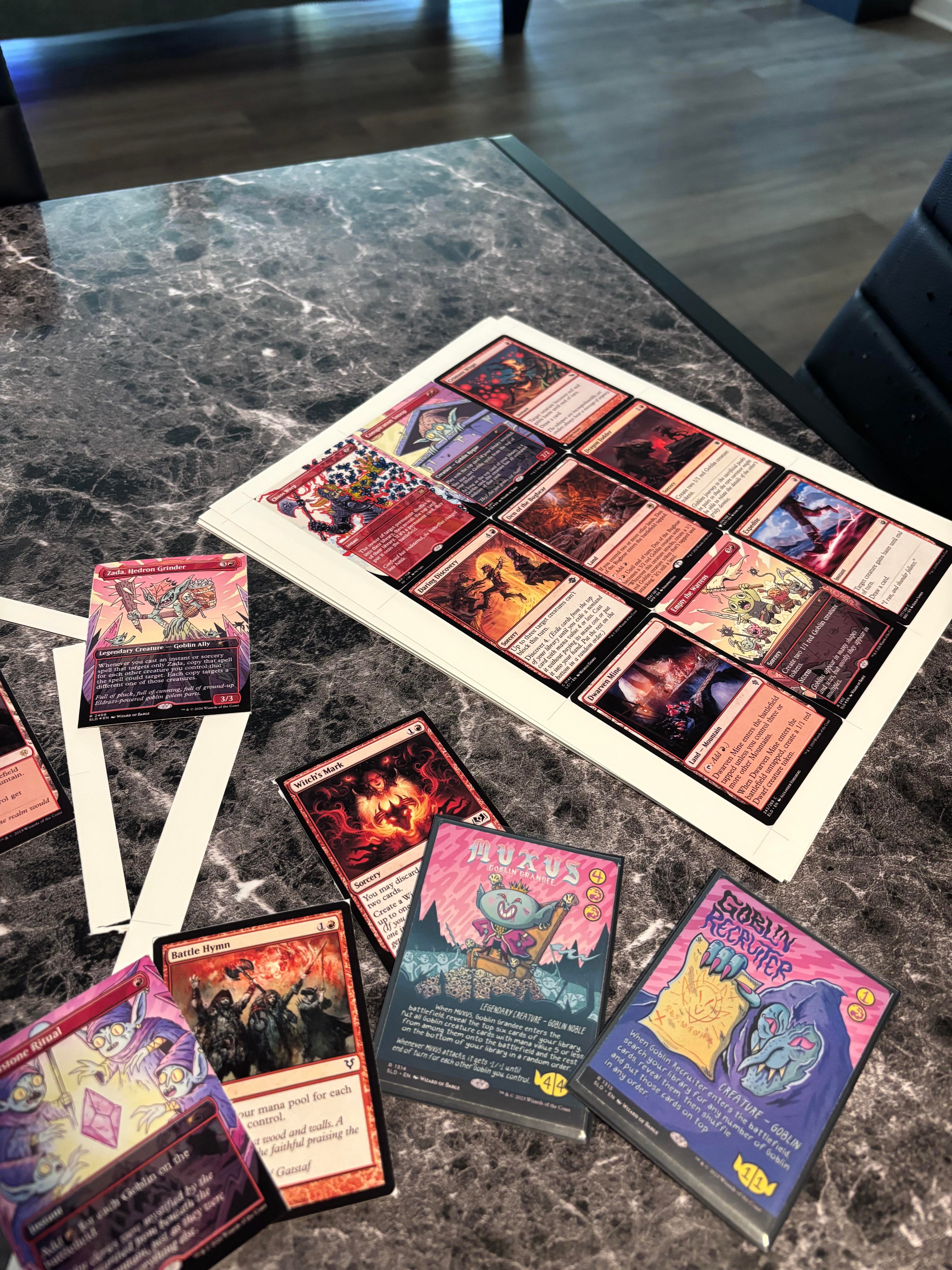
There is a difference between “this looks awesome for day one” and “this is the final method.” These photos are clearly the first one. They show that the printer can produce a satisfying card face. The next tests should be about final thickness, sleeve feel, and whether the deck still fits in a box.
The EcoTank Choice Makes Sense
The Epson ET-2803 is a sensible entry point. It is not a luxury photo printer, but it is a cartridge-free ink tank model, and that matters if you are going to be printing full-color sheets.
Proxy printing eats ink. A normal cartridge printer can look cheap upfront and then become irritating every time you need more ink. With EcoTank-style printers, the value is not only the first print. It is the fact that you can keep testing without feeling like every sheet is financially insulting.
This is exactly why I like the purchase. The printer is not the whole setup, but it gives the person room to experiment. That is what a good first proxy printer should do.
For more printer comparisons, the printer section is here: MTG Proxy Printers.
Where I’d Take This Setup Next
I would not abandon the ET-2803. The printer did its job.
I would change the material stack.
The next test should be lighter paper plus laminate, not heavier cardstock plus land backing. The current 300gsm stock already feels too bulky once backed, so adding more layers is not the answer. Something in the 130 to 200gsm range with laminate is a better direction, depending on the pouch thickness and whether the final cards are single sleeved or double sleeved.
I would also test glossy paper. The poster already liked how well the matte stock held ink, but glossy paper came up in the discussion for a reason: it usually gives better color pop and a more card-like visual finish. It can also introduce more shine, so sleeves matter.
And I would keep the first failures. That comment about keeping bad cutouts as a progress tracker is genuinely good. Proxy making improves by testing, not by pretending the first method is sacred.
What This Post Gets Right
This is the kind of beginner proxy post that should be encouraged.
It comes from frustration, but the response is productive. The person bought a tool, made a first batch, recognized the flaw, and asked better questions. That is the right loop.
- The printer choice is reasonable.
- The first print quality looks encouraging.
- The cardstock problem was identified quickly.
- The person is thinking about snap, not just image quality.
- The community gave useful material directions instead of just gatekeeping.
The important thing now is not to chase the perfect card in one jump. That is how people overspend. The better path is one variable at a time: paper weight, laminate thickness, finish, cutting, then deck-stack feel.
Why This Matters More Than One Printer Post
This post is really about the moment a player stops waiting for permission.
Limited drops, FOMO, queues, checkout failures, “while supplies last” products, all of it creates the same pressure: pay now, panic now, miss out now. That is exhausting when the thing underneath all of it is supposed to be a game.
Proxies are not the answer to every Magic problem, but they are a very reasonable answer to this one. If a card or product is unavailable, overpriced, or locked behind a bad buying experience, making a personal-use proxy is not some moral collapse. It is just choosing to play.
The only line that matters is honesty. Do not sell them as real. Do not trade them as real. Do not use proxies to pubstomp people who brought normal decks. Match the table, sleeve the cards, and play the game.
Final Take
I like this post because it captures the best kind of proxy conversion: frustration turned into making something.
The first prints look good. The Epson ET-2803 was not a bad impulse buy. The 300gsm matte stock plus land backing is probably too bulky, especially for Commander, but that is a fixable first mistake, not a failed setup.
The next step is not a better printer. It is better materials. Lighter paper, laminate testing, maybe glossy stock, maybe sticker paper if alignment does not become too annoying. One test sheet at a time.
For anyone else who has stared at a sold-out Secret Lair page and wondered why the game feels harder to buy than to play, this is a pretty relatable response. Buy the printer, make the test sheet, learn the stack, and get back to playing Magic.
For paper tests, start with MTG Proxy Cardstock. For printer options, use MTG Proxy Printers. For cutters, laminators, sticker sheets, and layout tools, check MTG Proxy Tools.
Inspired by: Went out and bought a printer yesterday by u/theycallmefagg.
Comments (0)
Join the discussion. Log in or create an account to comment.